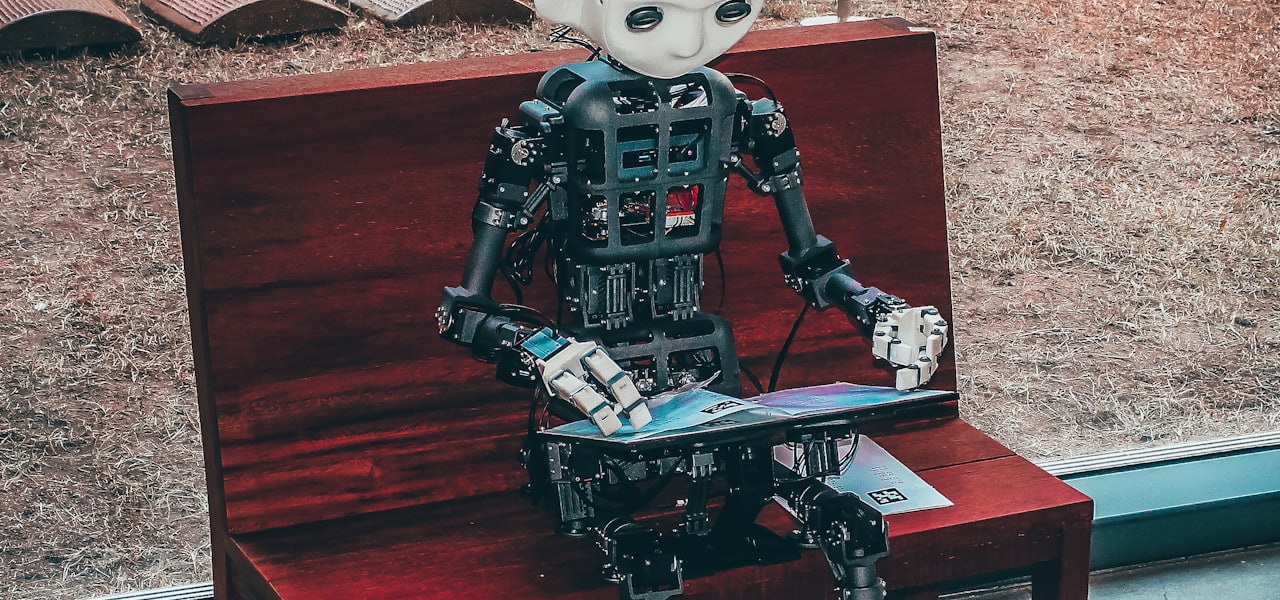
Behavior informatics (BI) is the informatics of behaviors so as to obtain behavior intelligence and behavior insights. BI is a research method combining science and technology, specifically in the area of engineering. The purpose of BI includes analysis of current behaviors as well as the inference of future possible behaviors. This occurs through pattern recognition. Different from applied behavior analysis from the psychological perspective, BI builds computational theories, systems and tools to qualitatively and quantitatively model, represent, analyze, and manage behaviors of individuals, groups and/or organizations. BI is built on classic study of behavioral science, including behavior modeling, applied behavior analysis, behavior analysis, behavioral economics, and organizational behavior. Typical BI tasks consist of individual and group behavior formation, representation, computational modeling, analysis, learning, simulation, and understanding of behavior impact, utility, non-occurring behaviors, etc. for behavior intervention and management. The Behavior Informatics approach to data utilizes cognitive as well as behavioral data. By combining the data, BI has the potential to effectively illustrate the big picture when it comes to behavioral decisions and patterns. One of the goals of BI is also to be able to study human behavior while eliminating issues like self-report bias. This creates more reliable and valid information for research studies. == Behavior == From an Informatics perspective, a behavior consists of three key elements: actors (behavioral subjects and objects), operations (actions, activities) and interactions (relationships), and their properties. A behavior can be represented as a behavior vector, all behaviors of an actor or an actor group can be represented as behavior sequences and multi-dimensional behavior matrix. The following table explains some of the elements of behavior. Behavior Informatics takes into account behavior when analyzing business patterns and intelligence. The inclusion of behavior in these analyses provides prominent information on social and driving factors of patterns. == Applications == Behavior Informatics is being used in a variety of settings, including but not limited to health care management, telecommunications, marketing, and security. Behavior Informatics provides a manner in which to analyze and organize the many aspects that go into a person's health care needs and decisions. When it comes to business models, behavior informatics may be utilized for a similar role. Organizations implement behavior informatics to enhance business structure and regime, where it helps moderate ideal business decisions and situations.
Gas (app)
Gas (sometimes stylized in all caps), formerly known as Melt as well as Crush, was an American anonymous social media app. Launched in August 2022, the app is oriented towards high schoolers. The app was developed by Nikita Bier, Isaiah Turner, and former Facebook engineer Dave Schatz. Gas was largely based upon the prior tbh app developed by co-founder Nikita Bier, along with Erik Hazzard, Kyle Zaragoza, and Nicolas Ducdodon in September 2017. tbh was acquired by Facebook inc. (now Meta Platforms) on October 16, 2017, and nearly a year later in July 2018 was dissolved, owing to low usage. Gas follows a similar purpose to tbh in being a social media app oriented towards high schoolers. In the app, users participate in anonymous polls regarding pre-written complimentary statements to their peers, such as "I'd say yes if (blank) asked me out on a date," "I think (blank) is the coolest kid in school," or "would make an ugly face and still look pretty." Winners of said polls receive a "flame." The name of the app is derived from this, with "gassing someone up" being Gen Z slang for complimenting someone. Users can pay a $6.99 subscription that enables "God Mode," which shows hints regarding who voted for them in a poll. Gas overtook TikTok and BeReal as the most downloaded app on the Apple App Store in October 2022 (the app is currently not available for Android). The app has over 5.1 million downloads as of early November 2022, over a million active users and 300 thousand daily downloads as of October 2022. Currently, the app is available in Canada and the majority of the United States. On January 17, 2023, Gas was acquired by Discord, however it would remain a standalone app and its developers became Discord staff members. On October 18, 2023, Discord announced that service for Gas would be permanently ending effective November 7, 2023, due to a steep decline in users. Effective November 7, the app became completely unusable. == Controversy regarding human-trafficking == Beginning in October 2022, rumors spread largely throughout TikTok and Snapchat alleged that the app was linked to human trafficking (in particular sex trafficking). According to Bier, the rumor originated with a single user review from China on October 5, and then was disseminated through TikTok accounts with "few to no US teen followers." Although largely dismissed as a hoax by experts, who cite how the app doesn't log user locations and general anonymity, the hoax became pervasive to the extent that various police departments, school systems, and local news outlets began issuing warnings regarding the app. For instance, on October 31, 2022, the police department of Piedmont, Oklahoma issued a warning to parents, encouraging them to check their children's phones, while on November 3, the Oklahoma Oktaha Public School system stated in a Facebook post that "Children are being kidnapped in other towns and this new app is thought to be the source of predators finding their location." (both statements have since been retracted by Police Chief Scott Singer and Superintendent Jerry Needham respectively). Additionally, local medial outlets such as KOCO in Oklahoma City ran stories making similar statements. The rumor had a negative impact on the app, with downloads plateauing for a two-week period in late October and with 3% of users in a single day reportedly uninstalling the app. Revenue and ratings have also reportedly dropped and the company's social media accounts have been bombarded with comments labeling them as sex-traffickers. Additionally, the four-person development team has reportedly been bombarded with various death threats as a result.
History of operating systems
Computer operating systems (OSes) provide a set of functions needed and used by most application programs on a computer, and the links needed to control and synchronize computer hardware. On the first computers, with no operating system, every program needed the full hardware specification to run correctly and perform standard tasks, and its own drivers for peripheral devices like printers and punched paper card readers. The growing complexity of hardware and application programs eventually made operating systems a necessity for everyday use. == Background == Early computers lacked any form of operating system. Instead, the user (rarely also the computer operator), had sole use of the machine for a scheduled period of time. The user would deliver his program to a computer operator who would be responsible for loading the computer with the program and data needed for its 'run'. Eventually, the end of a user's program could be detected and a control program automatically loaded which would load the next user's program, relieving the operator of having to load in each user's program individually and introducing the era of 'batched' programming. That is, a number of user programs could all be loaded together in a batch. Loading of program and data was accomplished in various ways including toggle switches (only used by a user on the earliest of computers, but later used by the computer operator to control the computer, e.g., to start it up, to shut it down, to 'pause', to 'dump' its RAM contents, and/or to control its input and/or its output), punched paper cards and magnetic or paper tape. Once loaded, the machine would be set to execute each program singly until that program completed, crashed, exceeded its time limit or went into a(n infinite) loop. In those early days, there were only 'Control Program' units for providing the software necessary to control the computers and ancillary hardware, e.g., for such semi hardware functions as I/O . None of the early 'Control Programs' were sufficiently sophisticated to recognize a looping user program or initiate a recovery action. Detection and recovery from a looping program was another critical operator function and was usually detected by the sound of the looping computer, whereupon the operator would simply initiate a complete dump of the executing program (for later debugging by the programmer) and then load in (or instruct the computer to go on to) the next user's program. Programs could sometimes be debugged via a control panel using dials, toggle switches and panel lights, making it a very manual and error-prone process. But, this was quite rare, since the high cost of even the simplest of the early computers prohibited such exclusive use of a computer by an individual programmer. Almost all program debugging was done away from any computer by the original programmer perusing the program and the dump of its execution obtained, e.g., by the computer operator or automatically by some computer hardware exception detection (such as a timeout, an attempt to divide by zero, or an over or underflow). Programmers then could only very rarely have more than one computer 'run' per day! Symbolic languages, e.g., assemblers and compilers were developed for programmers to translate symbolic program code into machine code that previously would have been hand-encoded. Later machines came with libraries of support code on punched cards or magnetic tape, which would be linked to the user's program to assist in operations such as input and output. This was the genesis of the modern-day operating system; however, machines still ran a single program or job at a time. At Cambridge University in England the job queue was at one time a string from which tapes attached to corresponding job tickets were hung with stationery pegs. == Mainframes == The first operating system used for real work was GM-NAA I/O, produced in 1956 by General Motors' Research division for its IBM 704. Most other early operating systems for IBM mainframes were also produced by customers. Early operating systems were very diverse, with each vendor or customer producing one or more operating systems specific to their particular mainframe computer. Every operating system, even from the same vendor, could have radically different models of commands, operating procedures, and such facilities as debugging aids. Typically, each time the manufacturer brought out a new machine, there would be a new operating system, and most applications would have to be manually adjusted, recompiled, and retested. === Systems on IBM hardware === Building on customer experience and requirements, IBM took on a more active role in developing operating systems for the 709, 1410, 7010, 7040, 7044, 7090 and 7094. IBM also collaborated with universities. The state of affairs continued until the mid 1960s when IBM, already a leading hardware vendor, stopped work on existing systems and put all its effort into developing the System/360 series of machines, all of which used the same instruction and input/output architecture. IBM intended to develop a single operating system for the new hardware, the OS/360. The problems encountered in the development of the OS/360 are legendary, and are described by Fred Brooks in The Mythical Man-Month—a book that has become a classic of software engineering. Because of performance differences across the hardware range and delays with software development, a whole family of operating systems was introduced instead of a single OS/360. IBM wound up releasing a series of stop-gaps followed by two longer-lived operating systems: OS/360 for mid-range and large systems. This was available in three system generation options: PCP for early users and for those without the resources for multiprogramming. MFT for mid-range systems, replaced by MFT-II in OS/360 Release 15/16. This had one successor, OS/VS1, which was discontinued in the 1980s. MVT for large systems. This was similar in most ways to PCP and MFT (most programs could be ported among the three without being re-compiled), but has more sophisticated memory management and a time-sharing facility, TSO. MVT had several successors including the current z/OS. DOS/360 for small System/360 models had several successors including the current z/VSE. It was significantly different from OS/360. IBM maintained full compatibility with the past, so that programs developed in the sixties can still run under z/VSE (if developed for DOS/360) or z/OS (if developed for MFT or MVT) with no change. IBM also developed TSS/360, a time-sharing system for the System/360 Model 67. Overcompensating for their perceived importance of developing a timeshare system, they set hundreds of developers to work on the project. Early releases of TSS were slow and unreliable; by the time TSS had acceptable performance and reliability, IBM wanted its TSS users to migrate to OS/360 and OS/VS2; while IBM offered a TSS/370 PRPQ, they dropped it after 3 releases. Several operating systems for the IBM S/360 and S/370 architectures were developed by third parties, including the Michigan Terminal System (MTS) and MUSIC/SP. === Other mainframe operating systems === Control Data Corporation developed the SCOPE operating systems in the 1960s, for batch processing and later developed the MACE operating system for time sharing, which was the basis for the later Kronos. In cooperation with the University of Minnesota, the Kronos and later the NOS operating systems were developed during the 1970s, which supported simultaneous batch and time sharing use. Like many commercial time sharing systems, its interface was an extension of the DTSS time sharing system, one of the pioneering efforts in timesharing and programming languages. In the late 1970s, Control Data and the University of Illinois developed the PLATO system, which used plasma panel displays and long-distance time sharing networks. PLATO was remarkably innovative for its time; the shared memory model of PLATO's TUTOR programming language allowed applications such as real-time chat and multi-user graphical games. For the UNIVAC 1107, UNIVAC, the first commercial computer manufacturer, produced the EXEC I operating system, and Computer Sciences Corporation developed the EXEC II operating system and delivered it to UNIVAC. EXEC II was ported to the UNIVAC 1108. Later, UNIVAC developed the EXEC 8 operating system for the 1108; it was the basis for operating systems for later members of the family. Like all early mainframe systems, EXEC I and EXEC II were a batch-oriented system that managed magnetic drums, disks, card readers and line printers; EXEC 8 supported both batch processing and on-line transaction processing. In the 1970s, UNIVAC produced the Real-Time Basic (RTB) system to support large-scale time sharing, also patterned after the Dartmouth BASIC system. Burroughs Corporation introduced the B5000 in 1961 with the MCP (Master Control Program) operating system. The B5000
History of operating systems
Computer operating systems (OSes) provide a set of functions needed and used by most application programs on a computer, and the links needed to control and synchronize computer hardware. On the first computers, with no operating system, every program needed the full hardware specification to run correctly and perform standard tasks, and its own drivers for peripheral devices like printers and punched paper card readers. The growing complexity of hardware and application programs eventually made operating systems a necessity for everyday use. == Background == Early computers lacked any form of operating system. Instead, the user (rarely also the computer operator), had sole use of the machine for a scheduled period of time. The user would deliver his program to a computer operator who would be responsible for loading the computer with the program and data needed for its 'run'. Eventually, the end of a user's program could be detected and a control program automatically loaded which would load the next user's program, relieving the operator of having to load in each user's program individually and introducing the era of 'batched' programming. That is, a number of user programs could all be loaded together in a batch. Loading of program and data was accomplished in various ways including toggle switches (only used by a user on the earliest of computers, but later used by the computer operator to control the computer, e.g., to start it up, to shut it down, to 'pause', to 'dump' its RAM contents, and/or to control its input and/or its output), punched paper cards and magnetic or paper tape. Once loaded, the machine would be set to execute each program singly until that program completed, crashed, exceeded its time limit or went into a(n infinite) loop. In those early days, there were only 'Control Program' units for providing the software necessary to control the computers and ancillary hardware, e.g., for such semi hardware functions as I/O . None of the early 'Control Programs' were sufficiently sophisticated to recognize a looping user program or initiate a recovery action. Detection and recovery from a looping program was another critical operator function and was usually detected by the sound of the looping computer, whereupon the operator would simply initiate a complete dump of the executing program (for later debugging by the programmer) and then load in (or instruct the computer to go on to) the next user's program. Programs could sometimes be debugged via a control panel using dials, toggle switches and panel lights, making it a very manual and error-prone process. But, this was quite rare, since the high cost of even the simplest of the early computers prohibited such exclusive use of a computer by an individual programmer. Almost all program debugging was done away from any computer by the original programmer perusing the program and the dump of its execution obtained, e.g., by the computer operator or automatically by some computer hardware exception detection (such as a timeout, an attempt to divide by zero, or an over or underflow). Programmers then could only very rarely have more than one computer 'run' per day! Symbolic languages, e.g., assemblers and compilers were developed for programmers to translate symbolic program code into machine code that previously would have been hand-encoded. Later machines came with libraries of support code on punched cards or magnetic tape, which would be linked to the user's program to assist in operations such as input and output. This was the genesis of the modern-day operating system; however, machines still ran a single program or job at a time. At Cambridge University in England the job queue was at one time a string from which tapes attached to corresponding job tickets were hung with stationery pegs. == Mainframes == The first operating system used for real work was GM-NAA I/O, produced in 1956 by General Motors' Research division for its IBM 704. Most other early operating systems for IBM mainframes were also produced by customers. Early operating systems were very diverse, with each vendor or customer producing one or more operating systems specific to their particular mainframe computer. Every operating system, even from the same vendor, could have radically different models of commands, operating procedures, and such facilities as debugging aids. Typically, each time the manufacturer brought out a new machine, there would be a new operating system, and most applications would have to be manually adjusted, recompiled, and retested. === Systems on IBM hardware === Building on customer experience and requirements, IBM took on a more active role in developing operating systems for the 709, 1410, 7010, 7040, 7044, 7090 and 7094. IBM also collaborated with universities. The state of affairs continued until the mid 1960s when IBM, already a leading hardware vendor, stopped work on existing systems and put all its effort into developing the System/360 series of machines, all of which used the same instruction and input/output architecture. IBM intended to develop a single operating system for the new hardware, the OS/360. The problems encountered in the development of the OS/360 are legendary, and are described by Fred Brooks in The Mythical Man-Month—a book that has become a classic of software engineering. Because of performance differences across the hardware range and delays with software development, a whole family of operating systems was introduced instead of a single OS/360. IBM wound up releasing a series of stop-gaps followed by two longer-lived operating systems: OS/360 for mid-range and large systems. This was available in three system generation options: PCP for early users and for those without the resources for multiprogramming. MFT for mid-range systems, replaced by MFT-II in OS/360 Release 15/16. This had one successor, OS/VS1, which was discontinued in the 1980s. MVT for large systems. This was similar in most ways to PCP and MFT (most programs could be ported among the three without being re-compiled), but has more sophisticated memory management and a time-sharing facility, TSO. MVT had several successors including the current z/OS. DOS/360 for small System/360 models had several successors including the current z/VSE. It was significantly different from OS/360. IBM maintained full compatibility with the past, so that programs developed in the sixties can still run under z/VSE (if developed for DOS/360) or z/OS (if developed for MFT or MVT) with no change. IBM also developed TSS/360, a time-sharing system for the System/360 Model 67. Overcompensating for their perceived importance of developing a timeshare system, they set hundreds of developers to work on the project. Early releases of TSS were slow and unreliable; by the time TSS had acceptable performance and reliability, IBM wanted its TSS users to migrate to OS/360 and OS/VS2; while IBM offered a TSS/370 PRPQ, they dropped it after 3 releases. Several operating systems for the IBM S/360 and S/370 architectures were developed by third parties, including the Michigan Terminal System (MTS) and MUSIC/SP. === Other mainframe operating systems === Control Data Corporation developed the SCOPE operating systems in the 1960s, for batch processing and later developed the MACE operating system for time sharing, which was the basis for the later Kronos. In cooperation with the University of Minnesota, the Kronos and later the NOS operating systems were developed during the 1970s, which supported simultaneous batch and time sharing use. Like many commercial time sharing systems, its interface was an extension of the DTSS time sharing system, one of the pioneering efforts in timesharing and programming languages. In the late 1970s, Control Data and the University of Illinois developed the PLATO system, which used plasma panel displays and long-distance time sharing networks. PLATO was remarkably innovative for its time; the shared memory model of PLATO's TUTOR programming language allowed applications such as real-time chat and multi-user graphical games. For the UNIVAC 1107, UNIVAC, the first commercial computer manufacturer, produced the EXEC I operating system, and Computer Sciences Corporation developed the EXEC II operating system and delivered it to UNIVAC. EXEC II was ported to the UNIVAC 1108. Later, UNIVAC developed the EXEC 8 operating system for the 1108; it was the basis for operating systems for later members of the family. Like all early mainframe systems, EXEC I and EXEC II were a batch-oriented system that managed magnetic drums, disks, card readers and line printers; EXEC 8 supported both batch processing and on-line transaction processing. In the 1970s, UNIVAC produced the Real-Time Basic (RTB) system to support large-scale time sharing, also patterned after the Dartmouth BASIC system. Burroughs Corporation introduced the B5000 in 1961 with the MCP (Master Control Program) operating system. The B5000
History of operating systems
Computer operating systems (OSes) provide a set of functions needed and used by most application programs on a computer, and the links needed to control and synchronize computer hardware. On the first computers, with no operating system, every program needed the full hardware specification to run correctly and perform standard tasks, and its own drivers for peripheral devices like printers and punched paper card readers. The growing complexity of hardware and application programs eventually made operating systems a necessity for everyday use. == Background == Early computers lacked any form of operating system. Instead, the user (rarely also the computer operator), had sole use of the machine for a scheduled period of time. The user would deliver his program to a computer operator who would be responsible for loading the computer with the program and data needed for its 'run'. Eventually, the end of a user's program could be detected and a control program automatically loaded which would load the next user's program, relieving the operator of having to load in each user's program individually and introducing the era of 'batched' programming. That is, a number of user programs could all be loaded together in a batch. Loading of program and data was accomplished in various ways including toggle switches (only used by a user on the earliest of computers, but later used by the computer operator to control the computer, e.g., to start it up, to shut it down, to 'pause', to 'dump' its RAM contents, and/or to control its input and/or its output), punched paper cards and magnetic or paper tape. Once loaded, the machine would be set to execute each program singly until that program completed, crashed, exceeded its time limit or went into a(n infinite) loop. In those early days, there were only 'Control Program' units for providing the software necessary to control the computers and ancillary hardware, e.g., for such semi hardware functions as I/O . None of the early 'Control Programs' were sufficiently sophisticated to recognize a looping user program or initiate a recovery action. Detection and recovery from a looping program was another critical operator function and was usually detected by the sound of the looping computer, whereupon the operator would simply initiate a complete dump of the executing program (for later debugging by the programmer) and then load in (or instruct the computer to go on to) the next user's program. Programs could sometimes be debugged via a control panel using dials, toggle switches and panel lights, making it a very manual and error-prone process. But, this was quite rare, since the high cost of even the simplest of the early computers prohibited such exclusive use of a computer by an individual programmer. Almost all program debugging was done away from any computer by the original programmer perusing the program and the dump of its execution obtained, e.g., by the computer operator or automatically by some computer hardware exception detection (such as a timeout, an attempt to divide by zero, or an over or underflow). Programmers then could only very rarely have more than one computer 'run' per day! Symbolic languages, e.g., assemblers and compilers were developed for programmers to translate symbolic program code into machine code that previously would have been hand-encoded. Later machines came with libraries of support code on punched cards or magnetic tape, which would be linked to the user's program to assist in operations such as input and output. This was the genesis of the modern-day operating system; however, machines still ran a single program or job at a time. At Cambridge University in England the job queue was at one time a string from which tapes attached to corresponding job tickets were hung with stationery pegs. == Mainframes == The first operating system used for real work was GM-NAA I/O, produced in 1956 by General Motors' Research division for its IBM 704. Most other early operating systems for IBM mainframes were also produced by customers. Early operating systems were very diverse, with each vendor or customer producing one or more operating systems specific to their particular mainframe computer. Every operating system, even from the same vendor, could have radically different models of commands, operating procedures, and such facilities as debugging aids. Typically, each time the manufacturer brought out a new machine, there would be a new operating system, and most applications would have to be manually adjusted, recompiled, and retested. === Systems on IBM hardware === Building on customer experience and requirements, IBM took on a more active role in developing operating systems for the 709, 1410, 7010, 7040, 7044, 7090 and 7094. IBM also collaborated with universities. The state of affairs continued until the mid 1960s when IBM, already a leading hardware vendor, stopped work on existing systems and put all its effort into developing the System/360 series of machines, all of which used the same instruction and input/output architecture. IBM intended to develop a single operating system for the new hardware, the OS/360. The problems encountered in the development of the OS/360 are legendary, and are described by Fred Brooks in The Mythical Man-Month—a book that has become a classic of software engineering. Because of performance differences across the hardware range and delays with software development, a whole family of operating systems was introduced instead of a single OS/360. IBM wound up releasing a series of stop-gaps followed by two longer-lived operating systems: OS/360 for mid-range and large systems. This was available in three system generation options: PCP for early users and for those without the resources for multiprogramming. MFT for mid-range systems, replaced by MFT-II in OS/360 Release 15/16. This had one successor, OS/VS1, which was discontinued in the 1980s. MVT for large systems. This was similar in most ways to PCP and MFT (most programs could be ported among the three without being re-compiled), but has more sophisticated memory management and a time-sharing facility, TSO. MVT had several successors including the current z/OS. DOS/360 for small System/360 models had several successors including the current z/VSE. It was significantly different from OS/360. IBM maintained full compatibility with the past, so that programs developed in the sixties can still run under z/VSE (if developed for DOS/360) or z/OS (if developed for MFT or MVT) with no change. IBM also developed TSS/360, a time-sharing system for the System/360 Model 67. Overcompensating for their perceived importance of developing a timeshare system, they set hundreds of developers to work on the project. Early releases of TSS were slow and unreliable; by the time TSS had acceptable performance and reliability, IBM wanted its TSS users to migrate to OS/360 and OS/VS2; while IBM offered a TSS/370 PRPQ, they dropped it after 3 releases. Several operating systems for the IBM S/360 and S/370 architectures were developed by third parties, including the Michigan Terminal System (MTS) and MUSIC/SP. === Other mainframe operating systems === Control Data Corporation developed the SCOPE operating systems in the 1960s, for batch processing and later developed the MACE operating system for time sharing, which was the basis for the later Kronos. In cooperation with the University of Minnesota, the Kronos and later the NOS operating systems were developed during the 1970s, which supported simultaneous batch and time sharing use. Like many commercial time sharing systems, its interface was an extension of the DTSS time sharing system, one of the pioneering efforts in timesharing and programming languages. In the late 1970s, Control Data and the University of Illinois developed the PLATO system, which used plasma panel displays and long-distance time sharing networks. PLATO was remarkably innovative for its time; the shared memory model of PLATO's TUTOR programming language allowed applications such as real-time chat and multi-user graphical games. For the UNIVAC 1107, UNIVAC, the first commercial computer manufacturer, produced the EXEC I operating system, and Computer Sciences Corporation developed the EXEC II operating system and delivered it to UNIVAC. EXEC II was ported to the UNIVAC 1108. Later, UNIVAC developed the EXEC 8 operating system for the 1108; it was the basis for operating systems for later members of the family. Like all early mainframe systems, EXEC I and EXEC II were a batch-oriented system that managed magnetic drums, disks, card readers and line printers; EXEC 8 supported both batch processing and on-line transaction processing. In the 1970s, UNIVAC produced the Real-Time Basic (RTB) system to support large-scale time sharing, also patterned after the Dartmouth BASIC system. Burroughs Corporation introduced the B5000 in 1961 with the MCP (Master Control Program) operating system. The B5000
Transduction (machine learning)
In logic, statistical inference, and supervised learning, transduction or transductive inference is reasoning from observed, specific (training) cases to specific (test) cases. In contrast, induction is reasoning from observed training cases to general rules, which are then applied to the test cases. The distinction is most interesting in cases where the predictions of the transductive model are not achievable by any inductive model. Note that this is caused by transductive inference on different test sets producing mutually inconsistent predictions. Transduction was introduced in a computer science context by Vladimir Vapnik in the 1990s, motivated by his view that transduction is preferable to induction since, according to him, induction requires solving a more general problem (inferring a function) before solving a more specific problem (computing outputs for new cases): "When solving a problem of interest, do not solve a more general problem as an intermediate step. Try to get the answer that you really need but not a more general one.". An example of learning which is not inductive would be in the case of binary classification, where the inputs tend to cluster in two groups. A large set of test inputs may help in finding the clusters, thus providing useful information about the classification labels. The same predictions would not be obtainable from a model which induces a function based only on the training cases. Some people may call this an example of the closely related semi-supervised learning, since Vapnik's motivation is quite different. The most well-known example of a case-bases learning algorithm is the k-nearest neighbor algorithm, which is related to transductive learning algorithms. Another example of an algorithm in this category is the Transductive Support Vector Machine (TSVM). A third possible motivation of transduction arises through the need to approximate. If exact inference is computationally prohibitive, one may at least try to make sure that the approximations are good at the test inputs. In this case, the test inputs could come from an arbitrary distribution (not necessarily related to the distribution of the training inputs), which wouldn't be allowed in semi-supervised learning. An example of an algorithm falling in this category is the Bayesian Committee Machine (BCM). == Historical context == The mode of inference from particulars to particulars, which Vapnik came to call transduction, was already distinguished from the mode of inference from particulars to generalizations in part III of the Cambridge philosopher and logician W.E. Johnson's 1924 textbook, Logic. In Johnson's work, the former mode was called 'eduction' and the latter was called 'induction'. Bruno de Finetti developed a purely subjective form of Bayesianism in which claims about objective chances could be translated into empirically respectable claims about subjective credences with respect to observables through exchangeability properties. An early statement of this view can be found in his 1937 La Prévision: ses Lois Logiques, ses Sources Subjectives and a mature statement in his 1970 Theory of Probability. Within de Finetti's subjective Bayesian framework, all inductive inference is ultimately inference from particulars to particulars. == Example problem == The following example problem contrasts some of the unique properties of transduction against induction. A collection of points is given, such that some of the points are labeled (A, B, or C), but most of the points are unlabeled (?). The goal is to predict appropriate labels for all of the unlabeled points. The inductive approach to solving this problem is to use the labeled points to train a supervised learning algorithm, and then have it predict labels for all of the unlabeled points. With this problem, however, the supervised learning algorithm will only have five labeled points to use as a basis for building a predictive model. It will certainly struggle to build a model that captures the structure of this data. For example, if a nearest-neighbor algorithm is used, then the points near the middle will be labeled "A" or "C", even though it is apparent that they belong to the same cluster as the point labeled "B", compared to semi-supervised learning. Transduction has the advantage of being able to consider all of the points, not just the labeled points, while performing the labeling task. In this case, transductive algorithms would label the unlabeled points according to the clusters to which they naturally belong. The points in the middle, therefore, would most likely be labeled "B", because they are packed very close to that cluster. An advantage of transduction is that it may be able to make better predictions with fewer labeled points, because it uses the natural breaks found in the unlabeled points. One disadvantage of transduction is that it builds no predictive model. If a previously unknown point is added to the set, the entire transductive algorithm would need to be repeated with all of the points in order to predict a label. This can be computationally expensive if the data is made available incrementally in a stream. Further, this might cause the predictions of some of the old points to change (which may be good or bad, depending on the application). A supervised learning algorithm, on the other hand, can label new points instantly, with very little computational cost. == Transduction algorithms == Transduction algorithms can be broadly divided into two categories: those that seek to assign discrete labels to unlabeled points, and those that seek to regress continuous labels for unlabeled points. Algorithms that seek to predict discrete labels tend to be derived by adding partial supervision to a clustering algorithm. Two classes of algorithms can be used: flat clustering and hierarchical clustering. The latter can be further subdivided into two categories: those that cluster by partitioning, and those that cluster by agglomerating. Algorithms that seek to predict continuous labels tend to be derived by adding partial supervision to a manifold learning algorithm. === Partitioning transduction === Partitioning transduction can be thought of as top-down transduction. It is a semi-supervised extension of partition-based clustering. It is typically performed as follows: Consider the set of all points to be one large partition. While any partition P contains two points with conflicting labels: Partition P into smaller partitions. For each partition P: Assign the same label to all of the points in P. Of course, any reasonable partitioning technique could be used with this algorithm. Max flow min cut partitioning schemes are very popular for this purpose. === Agglomerative transduction === Agglomerative transduction can be thought of as bottom-up transduction. It is a semi-supervised extension of agglomerative clustering. It is typically performed as follows: Compute the pair-wise distances, D, between all the points. Sort D in ascending order. Consider each point to be a cluster of size 1. For each pair of points {a,b} in D: If (a is unlabeled) or (b is unlabeled) or (a and b have the same label) Merge the two clusters that contain a and b. Label all points in the merged cluster with the same label. === Continuous Label Transduction === These methods seek to regress continuous labels, often via manifold learning techniques. The idea is to learn a low-dimensional representation of the data and infer values smoothly across the manifold. == Applications and related concepts == Transduction is closely related to: Semi-supervised learning – uses both labeled and unlabeled data but typically induces a model. Case-based reasoning – such as the k-nearest neighbor (k-NN) algorithm, often considered a transductive method. Transductive Support Vector Machines (TSVM) – extend standard SVMs to incorporate unlabeled test data during training. Bayesian Committee Machine (BCM) – an approximation method that makes transductive predictions when exact inference is too costly.
History of operating systems
Computer operating systems (OSes) provide a set of functions needed and used by most application programs on a computer, and the links needed to control and synchronize computer hardware. On the first computers, with no operating system, every program needed the full hardware specification to run correctly and perform standard tasks, and its own drivers for peripheral devices like printers and punched paper card readers. The growing complexity of hardware and application programs eventually made operating systems a necessity for everyday use. == Background == Early computers lacked any form of operating system. Instead, the user (rarely also the computer operator), had sole use of the machine for a scheduled period of time. The user would deliver his program to a computer operator who would be responsible for loading the computer with the program and data needed for its 'run'. Eventually, the end of a user's program could be detected and a control program automatically loaded which would load the next user's program, relieving the operator of having to load in each user's program individually and introducing the era of 'batched' programming. That is, a number of user programs could all be loaded together in a batch. Loading of program and data was accomplished in various ways including toggle switches (only used by a user on the earliest of computers, but later used by the computer operator to control the computer, e.g., to start it up, to shut it down, to 'pause', to 'dump' its RAM contents, and/or to control its input and/or its output), punched paper cards and magnetic or paper tape. Once loaded, the machine would be set to execute each program singly until that program completed, crashed, exceeded its time limit or went into a(n infinite) loop. In those early days, there were only 'Control Program' units for providing the software necessary to control the computers and ancillary hardware, e.g., for such semi hardware functions as I/O . None of the early 'Control Programs' were sufficiently sophisticated to recognize a looping user program or initiate a recovery action. Detection and recovery from a looping program was another critical operator function and was usually detected by the sound of the looping computer, whereupon the operator would simply initiate a complete dump of the executing program (for later debugging by the programmer) and then load in (or instruct the computer to go on to) the next user's program. Programs could sometimes be debugged via a control panel using dials, toggle switches and panel lights, making it a very manual and error-prone process. But, this was quite rare, since the high cost of even the simplest of the early computers prohibited such exclusive use of a computer by an individual programmer. Almost all program debugging was done away from any computer by the original programmer perusing the program and the dump of its execution obtained, e.g., by the computer operator or automatically by some computer hardware exception detection (such as a timeout, an attempt to divide by zero, or an over or underflow). Programmers then could only very rarely have more than one computer 'run' per day! Symbolic languages, e.g., assemblers and compilers were developed for programmers to translate symbolic program code into machine code that previously would have been hand-encoded. Later machines came with libraries of support code on punched cards or magnetic tape, which would be linked to the user's program to assist in operations such as input and output. This was the genesis of the modern-day operating system; however, machines still ran a single program or job at a time. At Cambridge University in England the job queue was at one time a string from which tapes attached to corresponding job tickets were hung with stationery pegs. == Mainframes == The first operating system used for real work was GM-NAA I/O, produced in 1956 by General Motors' Research division for its IBM 704. Most other early operating systems for IBM mainframes were also produced by customers. Early operating systems were very diverse, with each vendor or customer producing one or more operating systems specific to their particular mainframe computer. Every operating system, even from the same vendor, could have radically different models of commands, operating procedures, and such facilities as debugging aids. Typically, each time the manufacturer brought out a new machine, there would be a new operating system, and most applications would have to be manually adjusted, recompiled, and retested. === Systems on IBM hardware === Building on customer experience and requirements, IBM took on a more active role in developing operating systems for the 709, 1410, 7010, 7040, 7044, 7090 and 7094. IBM also collaborated with universities. The state of affairs continued until the mid 1960s when IBM, already a leading hardware vendor, stopped work on existing systems and put all its effort into developing the System/360 series of machines, all of which used the same instruction and input/output architecture. IBM intended to develop a single operating system for the new hardware, the OS/360. The problems encountered in the development of the OS/360 are legendary, and are described by Fred Brooks in The Mythical Man-Month—a book that has become a classic of software engineering. Because of performance differences across the hardware range and delays with software development, a whole family of operating systems was introduced instead of a single OS/360. IBM wound up releasing a series of stop-gaps followed by two longer-lived operating systems: OS/360 for mid-range and large systems. This was available in three system generation options: PCP for early users and for those without the resources for multiprogramming. MFT for mid-range systems, replaced by MFT-II in OS/360 Release 15/16. This had one successor, OS/VS1, which was discontinued in the 1980s. MVT for large systems. This was similar in most ways to PCP and MFT (most programs could be ported among the three without being re-compiled), but has more sophisticated memory management and a time-sharing facility, TSO. MVT had several successors including the current z/OS. DOS/360 for small System/360 models had several successors including the current z/VSE. It was significantly different from OS/360. IBM maintained full compatibility with the past, so that programs developed in the sixties can still run under z/VSE (if developed for DOS/360) or z/OS (if developed for MFT or MVT) with no change. IBM also developed TSS/360, a time-sharing system for the System/360 Model 67. Overcompensating for their perceived importance of developing a timeshare system, they set hundreds of developers to work on the project. Early releases of TSS were slow and unreliable; by the time TSS had acceptable performance and reliability, IBM wanted its TSS users to migrate to OS/360 and OS/VS2; while IBM offered a TSS/370 PRPQ, they dropped it after 3 releases. Several operating systems for the IBM S/360 and S/370 architectures were developed by third parties, including the Michigan Terminal System (MTS) and MUSIC/SP. === Other mainframe operating systems === Control Data Corporation developed the SCOPE operating systems in the 1960s, for batch processing and later developed the MACE operating system for time sharing, which was the basis for the later Kronos. In cooperation with the University of Minnesota, the Kronos and later the NOS operating systems were developed during the 1970s, which supported simultaneous batch and time sharing use. Like many commercial time sharing systems, its interface was an extension of the DTSS time sharing system, one of the pioneering efforts in timesharing and programming languages. In the late 1970s, Control Data and the University of Illinois developed the PLATO system, which used plasma panel displays and long-distance time sharing networks. PLATO was remarkably innovative for its time; the shared memory model of PLATO's TUTOR programming language allowed applications such as real-time chat and multi-user graphical games. For the UNIVAC 1107, UNIVAC, the first commercial computer manufacturer, produced the EXEC I operating system, and Computer Sciences Corporation developed the EXEC II operating system and delivered it to UNIVAC. EXEC II was ported to the UNIVAC 1108. Later, UNIVAC developed the EXEC 8 operating system for the 1108; it was the basis for operating systems for later members of the family. Like all early mainframe systems, EXEC I and EXEC II were a batch-oriented system that managed magnetic drums, disks, card readers and line printers; EXEC 8 supported both batch processing and on-line transaction processing. In the 1970s, UNIVAC produced the Real-Time Basic (RTB) system to support large-scale time sharing, also patterned after the Dartmouth BASIC system. Burroughs Corporation introduced the B5000 in 1961 with the MCP (Master Control Program) operating system. The B5000